Schedule a Demo
Free demos are available for all CM Fusion accounts!
Schedule a DemoFree demos are available for all CM Fusion accounts!
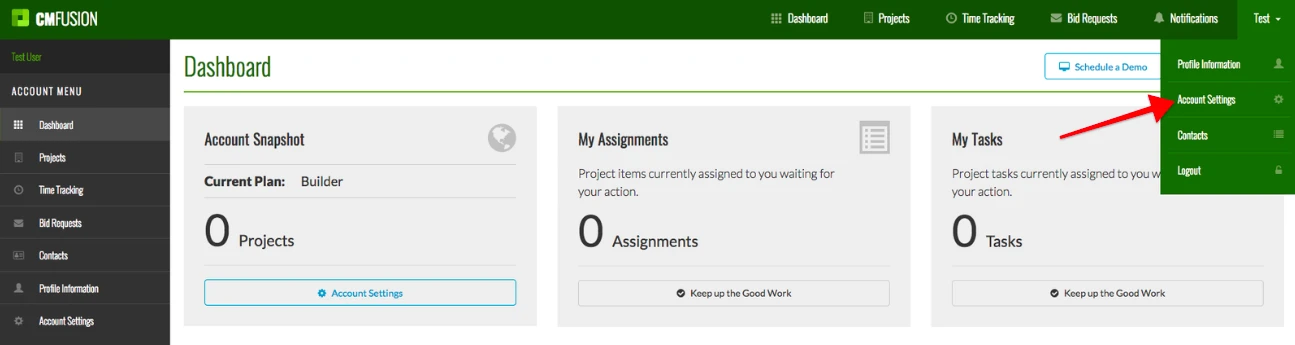
Start by clicking the Account Settings tab in the drop down list under your name in the top right corner.
1. Start by clicking the Account Settings tab in the drop down list under your name in the top right corner.
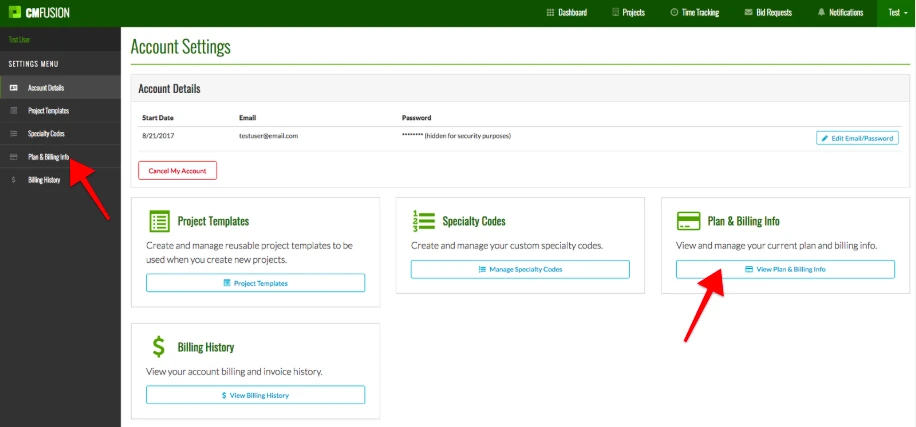
2. Next click on the Plan & Billing info tab in the left margin or click the blue box on the right named View Plan & Billing Info
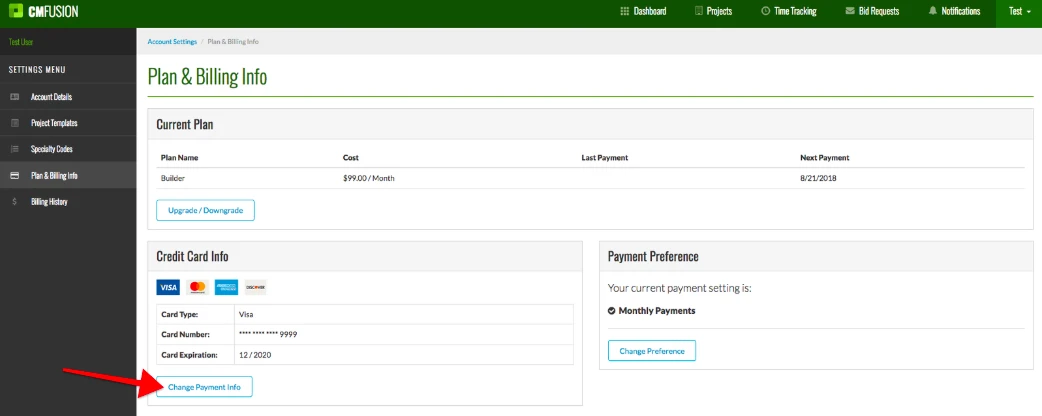
3. To change or add your credit card information click the blue button named Change Payment Info.
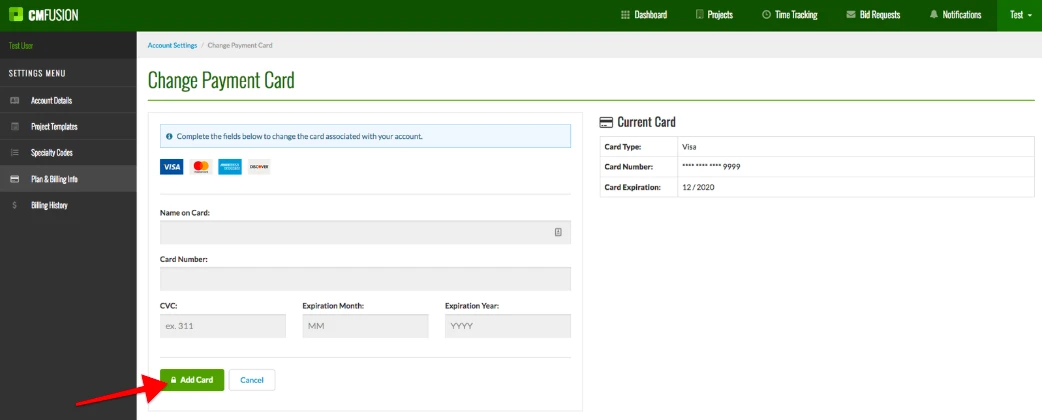
4. Now you can enter in your credit card information. When you are finished, click the green Add Card button in the bottom left.
Try us out completely free for 30 days - no credit card required.
CM Fusion is cloud-based construction management software for general contractors.
 Request a Free Demo
Complete the fields below to request your Free CM Fusion Demo.
 Loading...

Hi User
How can we help?