Schedule a Demo
Free demos are available for all CM Fusion accounts!
Schedule a DemoFree demos are available for all CM Fusion accounts!
If you are looking to quickly find a specific field report, you can search all of your field reports for specific creators to access them.
If you are looking to quickly find a specific field report, you can search all of your field reports for specific creators to access them.
To get started, head over to your project dashboard where you would like to find the field report and follow the steps below:
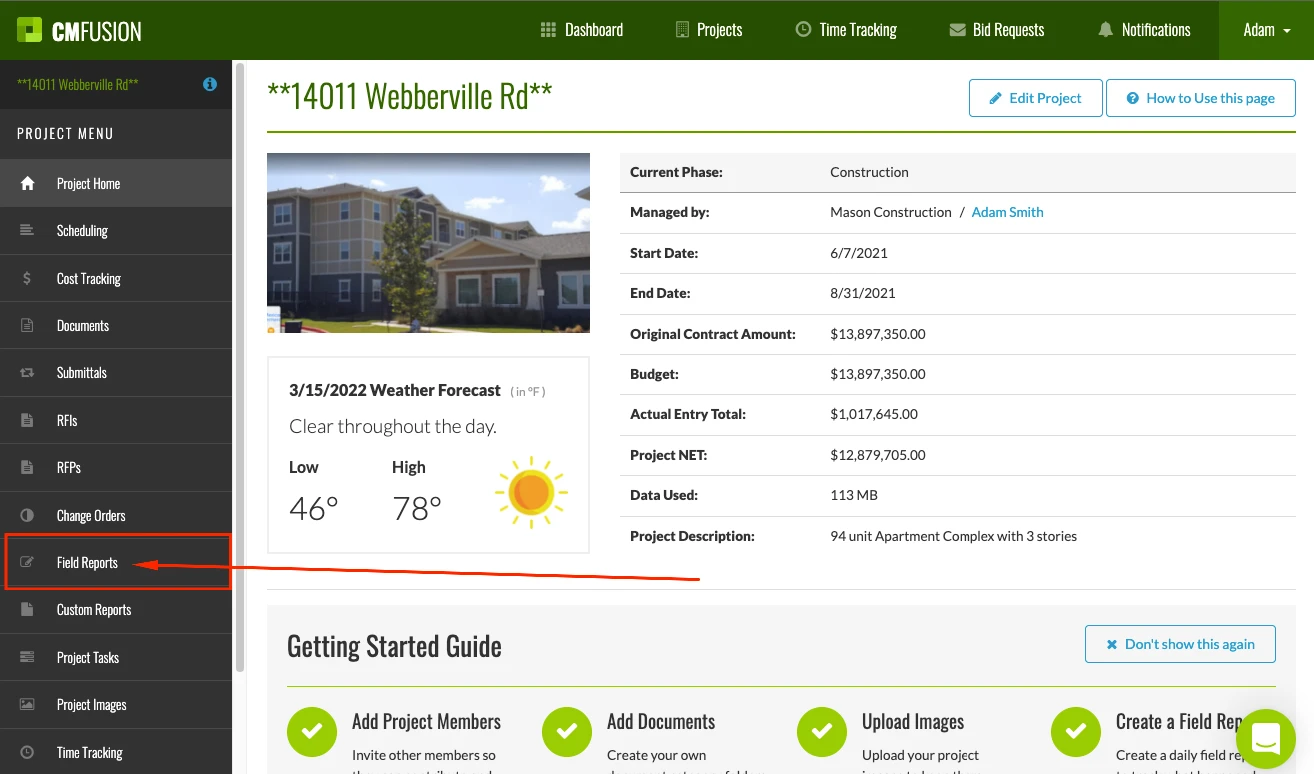
1.) From your project Dashboard, Select Field Reports.
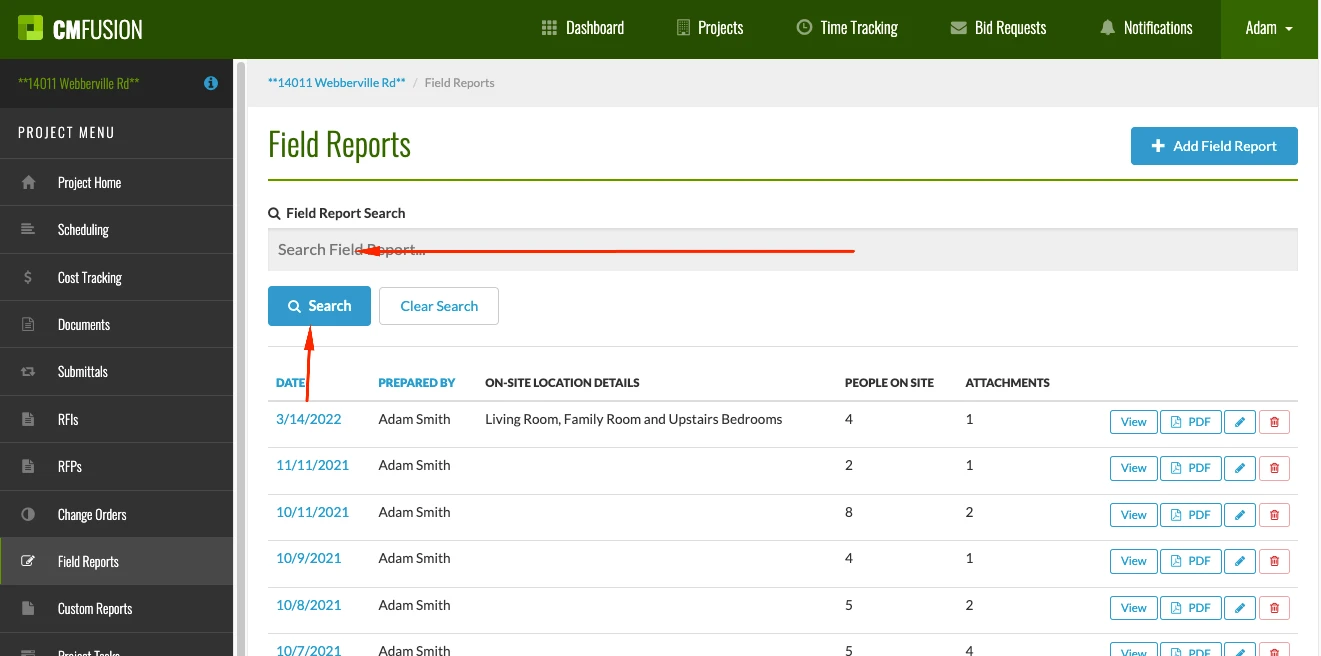
2.) Type the name of the Field Report Creator into the search box at the top of the screen.
3.) After typing in the name of your creator (or who the field report was prepared by) you will now see all of the Field Reports created by this individual over the life of the project. Simply click into the specific field report that you would like to view to drill into the details of that Field Report.
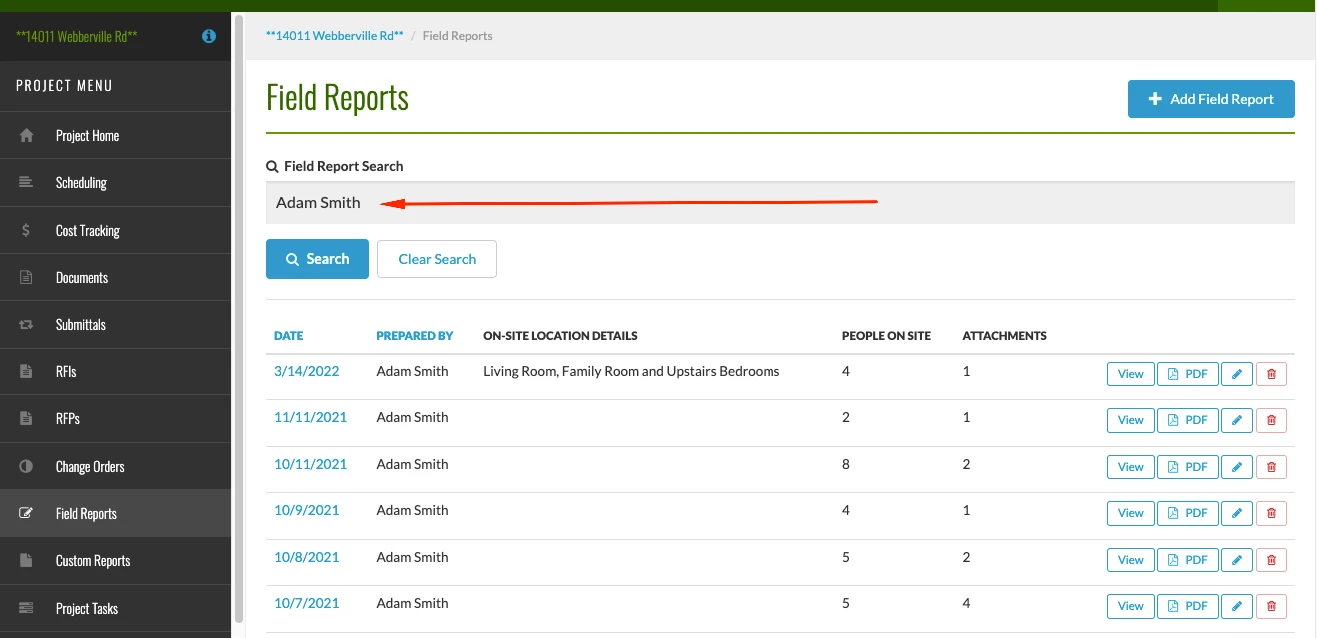
4.) Return to view all of your Field Reports by selecting the Clear Search option
Try us out completely free for 30 days - no credit card required.
CM Fusion is cloud-based construction management software for general contractors.
 Request a Free Demo
Complete the fields below to request your Free CM Fusion Demo.
 Loading...

Hi User
How can we help?