Schedule a Demo
Free demos are available for all CM Fusion accounts!
Schedule a DemoFree demos are available for all CM Fusion accounts!
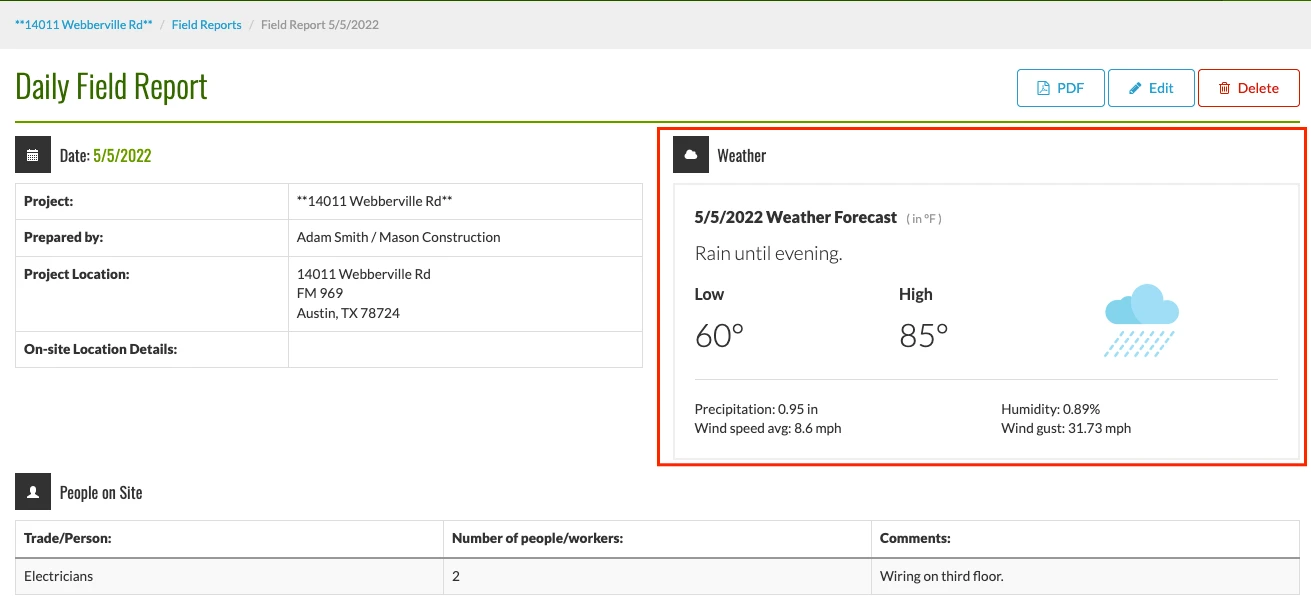
Inside of Field Reports, you will now see in depth weather updates for the day of the Field Report.
When managing construction projects one thing that can effect our progress is the weather. Inside of your Field Reports, you can view in depth weather coverage for that particular day on each individual field report.
You will now see on your project home screen and each individual field report for weather:
The best part about this feature is that it is done for you, CMFusion automatically pulls in the weather data for you and adds them to your individual Field Reports. This information is pulled from the address listed on your project. Here is how it works.
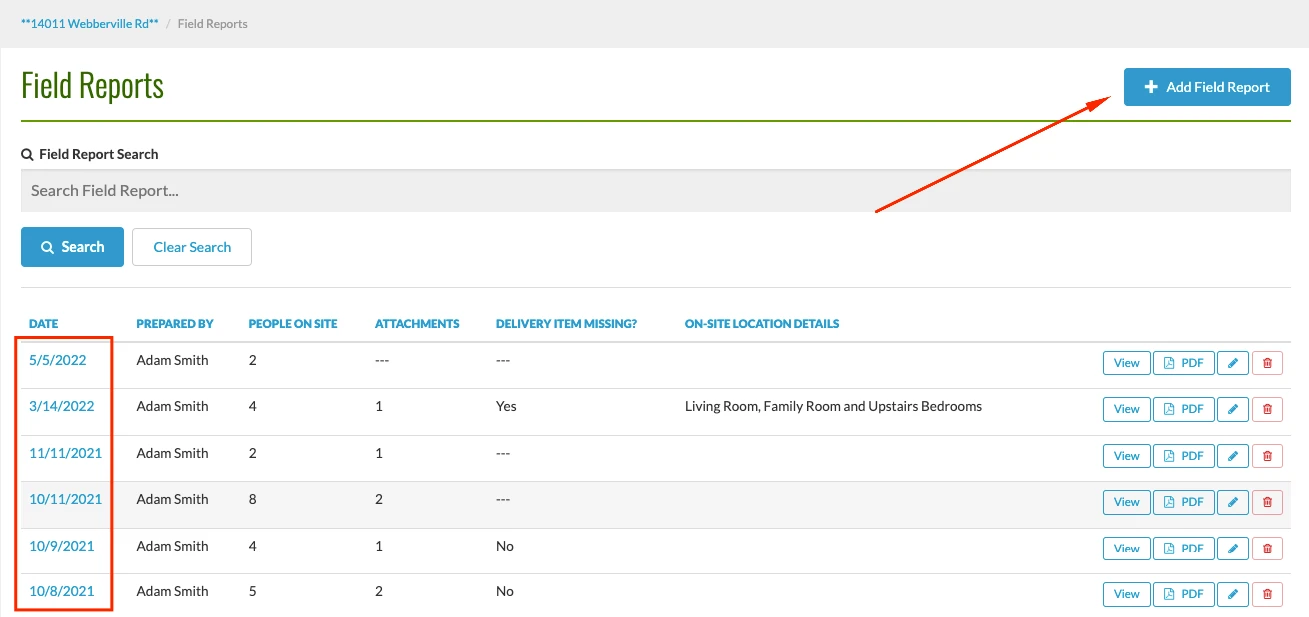
1.) Navigate to Field Reports, and either create a brand new Field Report or click into an older one.
2.) After creating a new Field Report or accessing an older one you will automatically see the weather data included for that particular day.
Try us out completely free for 30 days - no credit card required.
CM Fusion is cloud-based construction management software for general contractors.
 Request a Free Demo
Complete the fields below to request your Free CM Fusion Demo.
 Loading...

Hi User
How can we help?