Schedule a Demo
Free demos are available for all CM Fusion accounts!
Schedule a DemoFree demos are available for all CM Fusion accounts!
Follow the instructions below to download and import your Microsoft Projects into CMFusion.
Import project schedules into CMFusion from inside your Microsoft Project account.
Here is how to import project schedules from MS Project into CMFusion.
1.) Download your current project schedule from Microsoft Project and save it as an XML file.
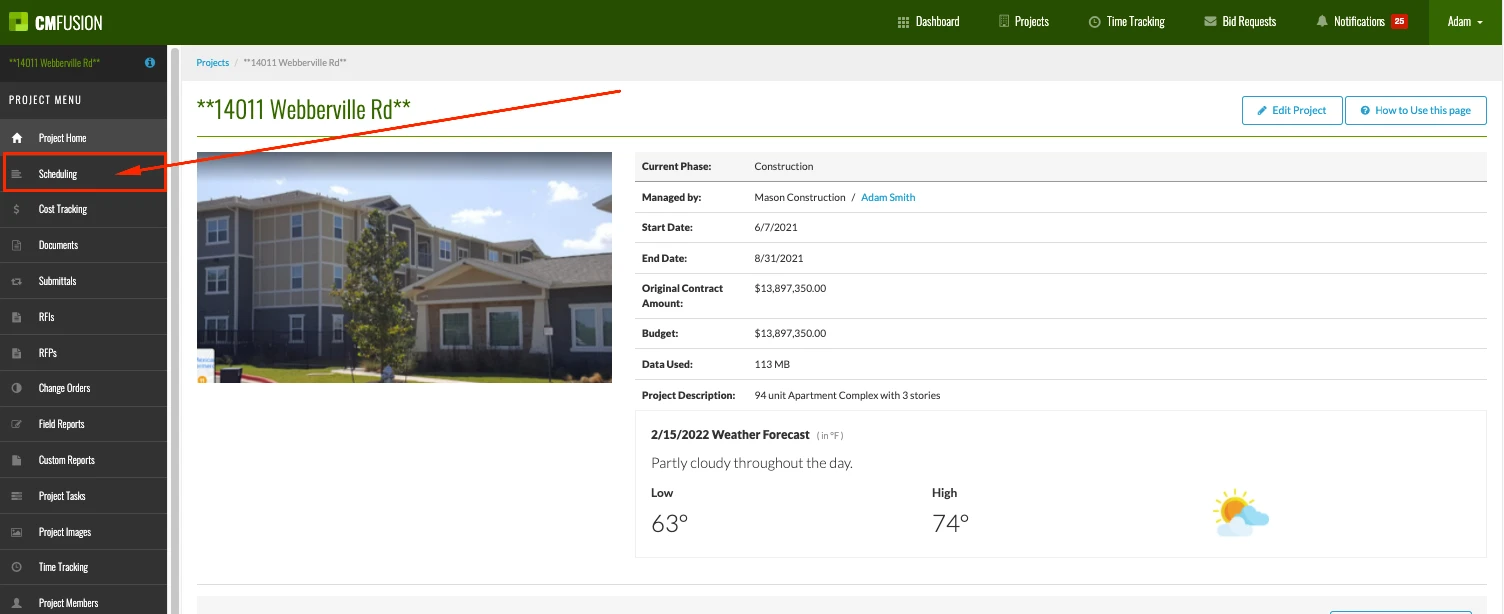
2.) Navigate to your project inside CMFusion, and then select scheduling.
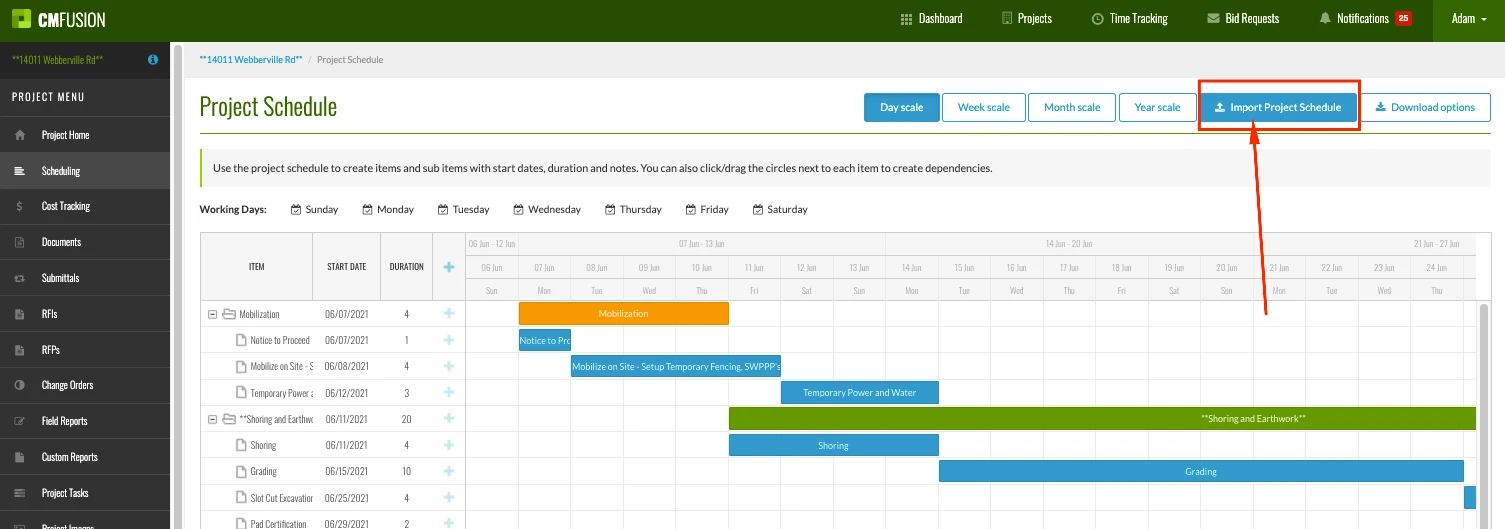
3.) Select Import Project Schedule.
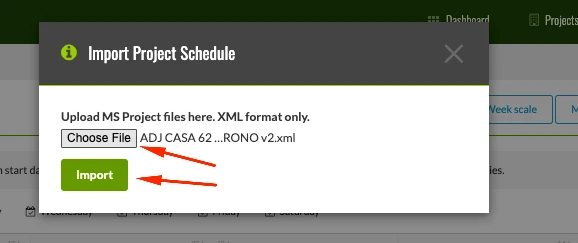
4.) Select your recently saved Microsoft Project XML file and select import.
Within seconds, you will see your Microsoft Project schedule automatically populated inside your CMFusion project schedule.
Please note that when saving your project schedule from inside Microsoft Project, you will need to save that file as an XML file for this import to work correctly.
For more information on how to export your project schedule from Microsoft Project, please refer to their help article here.
Try us out completely free for 30 days - no credit card required.
CM Fusion is cloud-based construction management software for general contractors.
 Request a Free Demo
Complete the fields below to request your Free CM Fusion Demo.
 Loading...

Hi User
How can we help?