Schedule a Demo
Free demos are available for all CM Fusion accounts!
Schedule a DemoFree demos are available for all CM Fusion accounts!
The project schedule module has recently been upgraded to give you new views and filters for viewing project schedules.
Customize the look and layout of your project schedules inside of CM Fusion.
Check out the video below to see how you can adjust the view and access information quicker on your project schedule page.
Schedule Filters
To change the view on the left hand navigation, you can adjust what information is displayed by following the steps below:
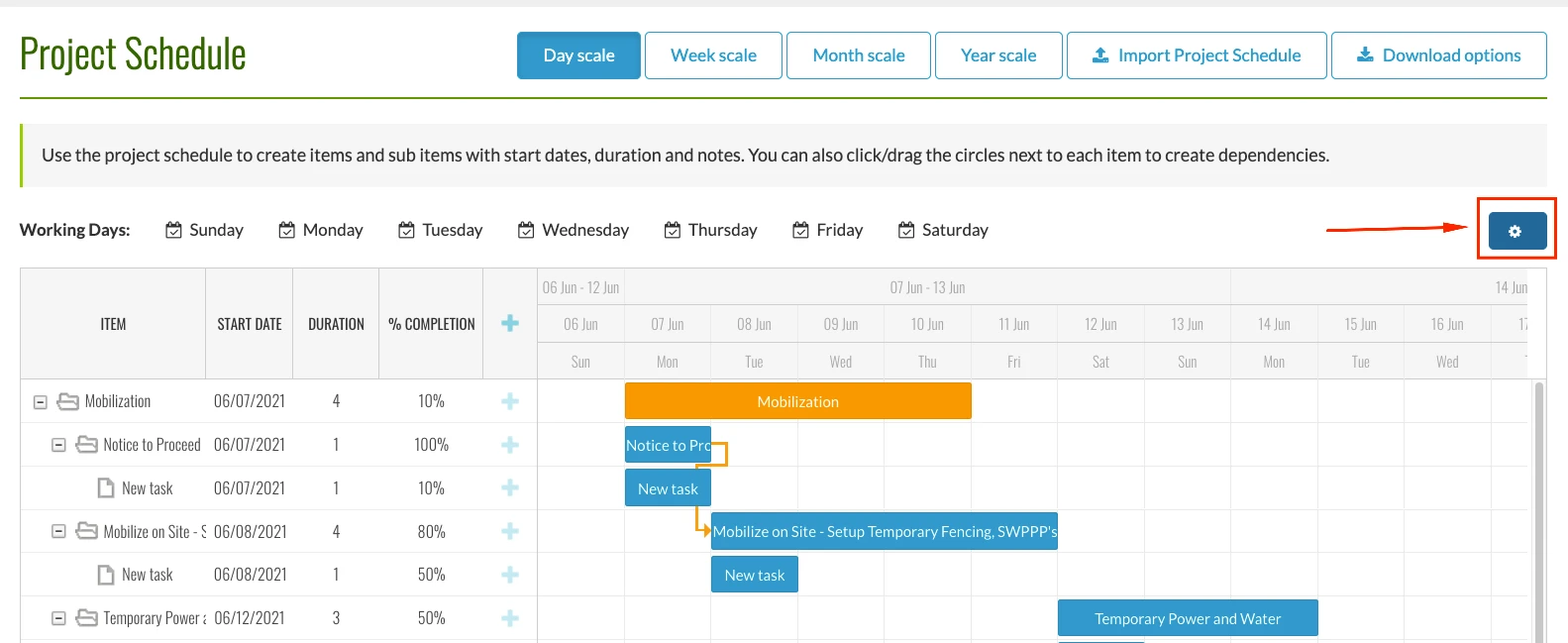
1.) From your Project Schedule, select the gear icon on the top right of your screen to open your view settings.
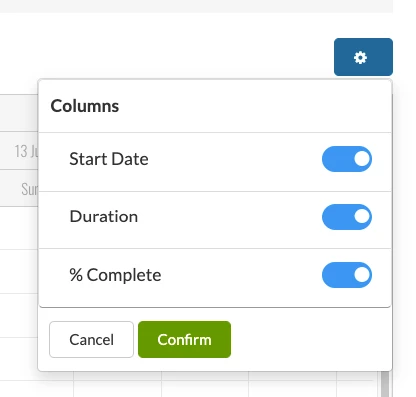
2.) From there, you can now toggle the information that will be shown in your project schedule navigation.
Hover Over Scheduled Items for More Details
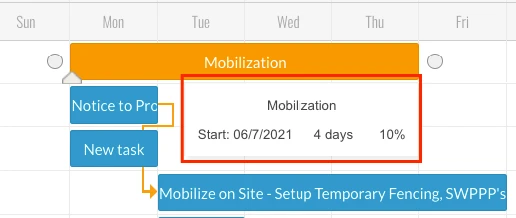
To quickly get a snapshot of specific project tasks on your schedule, simply hover a specific task. Once you hover over the task, a small pop up will appear which provides the start date, duration and completion percentage for that particular task.
Try us out completely free for 30 days - no credit card required.
CM Fusion is cloud-based construction management software for general contractors.
 Request a Free Demo
Complete the fields below to request your Free CM Fusion Demo.
 Loading...

Hi User
How can we help?