Schedule a Demo
Free demos are available for all CM Fusion accounts!
Schedule a DemoFree demos are available for all CM Fusion accounts!
If you are looking to export your punchlist items from CMFusion, follow the easy steps below.
If you need to print a punchlist for your project members to take into the field, or would just prefer a paper copy of your punchlist you can easily do so by following the steps below:
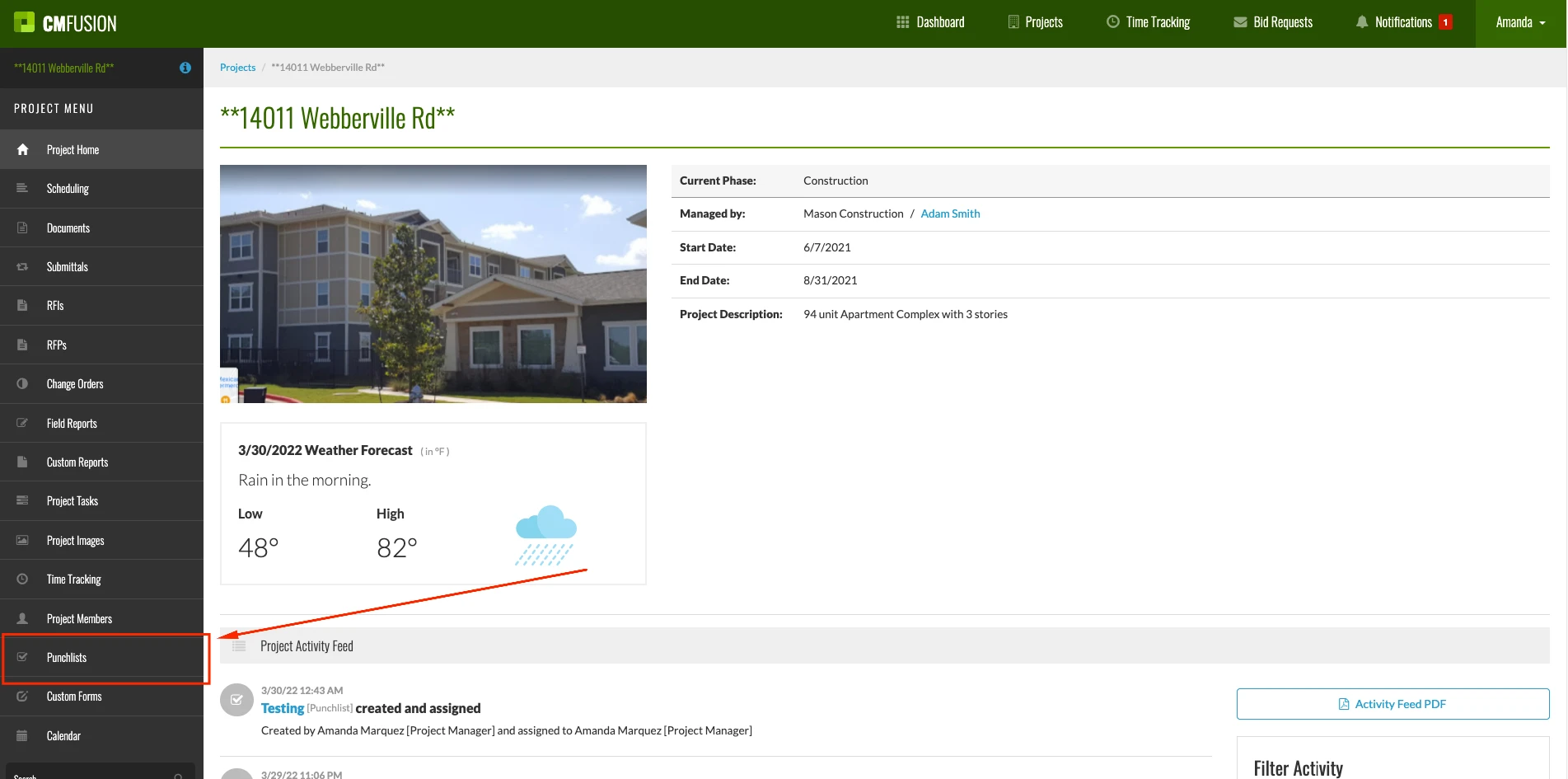
1.) Select Punchlists from the left side navigation.
2.) From here, you can export a list of all your current Punchlists by selecting Report Options.
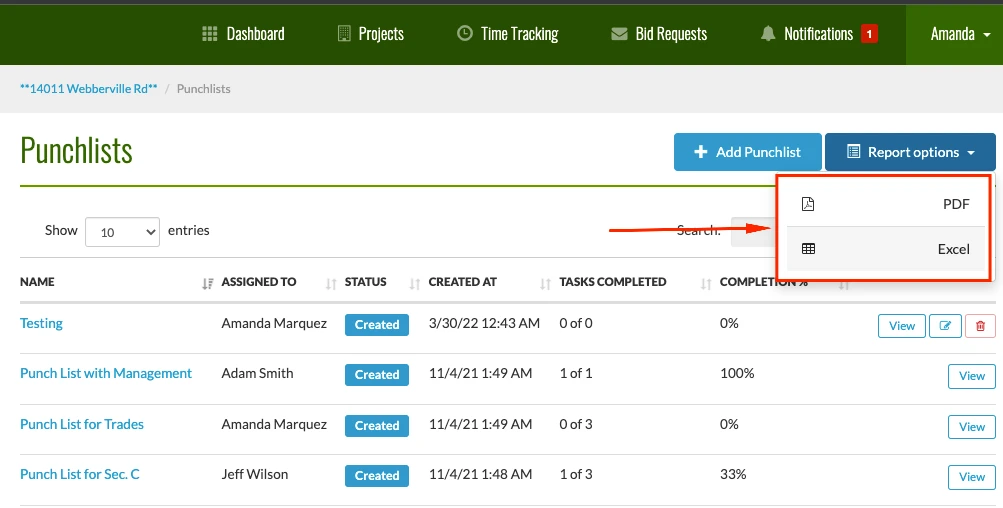
3.) You can select to export the list of all your punchlists as either a PDF or Excel file.
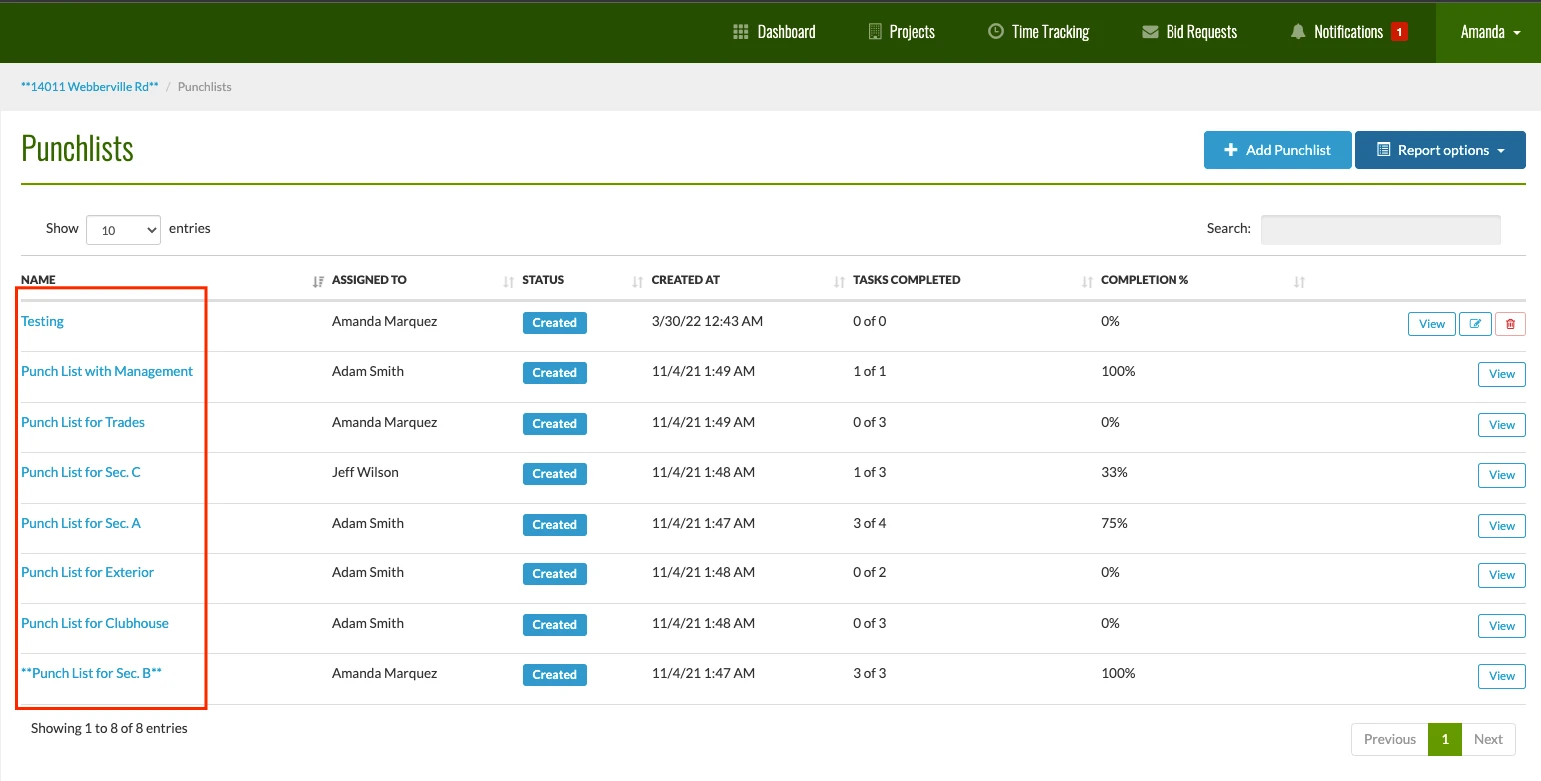
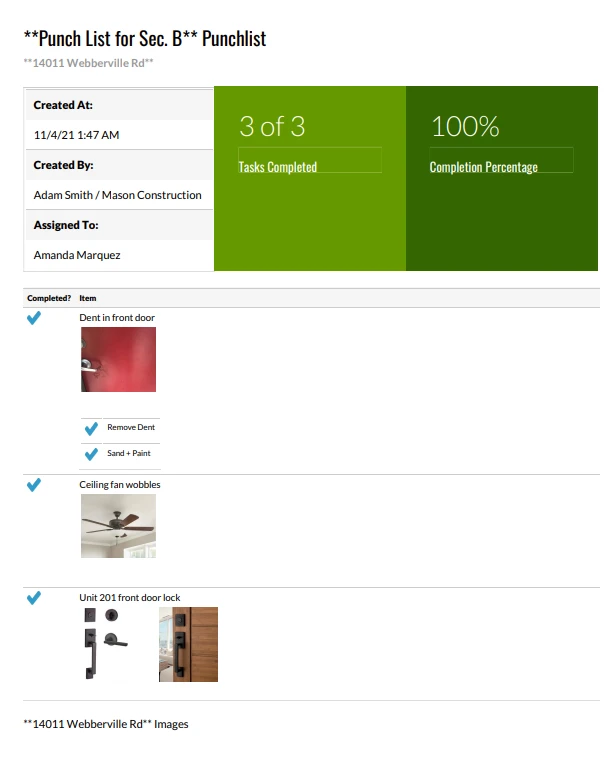
4.) To export a specific punch list that includes the tasks for that punchlist as well as the images, start by selecting the Punchlist you would like to export.
5.) After selecting the Punchlist, select Report Options and choose PDF.
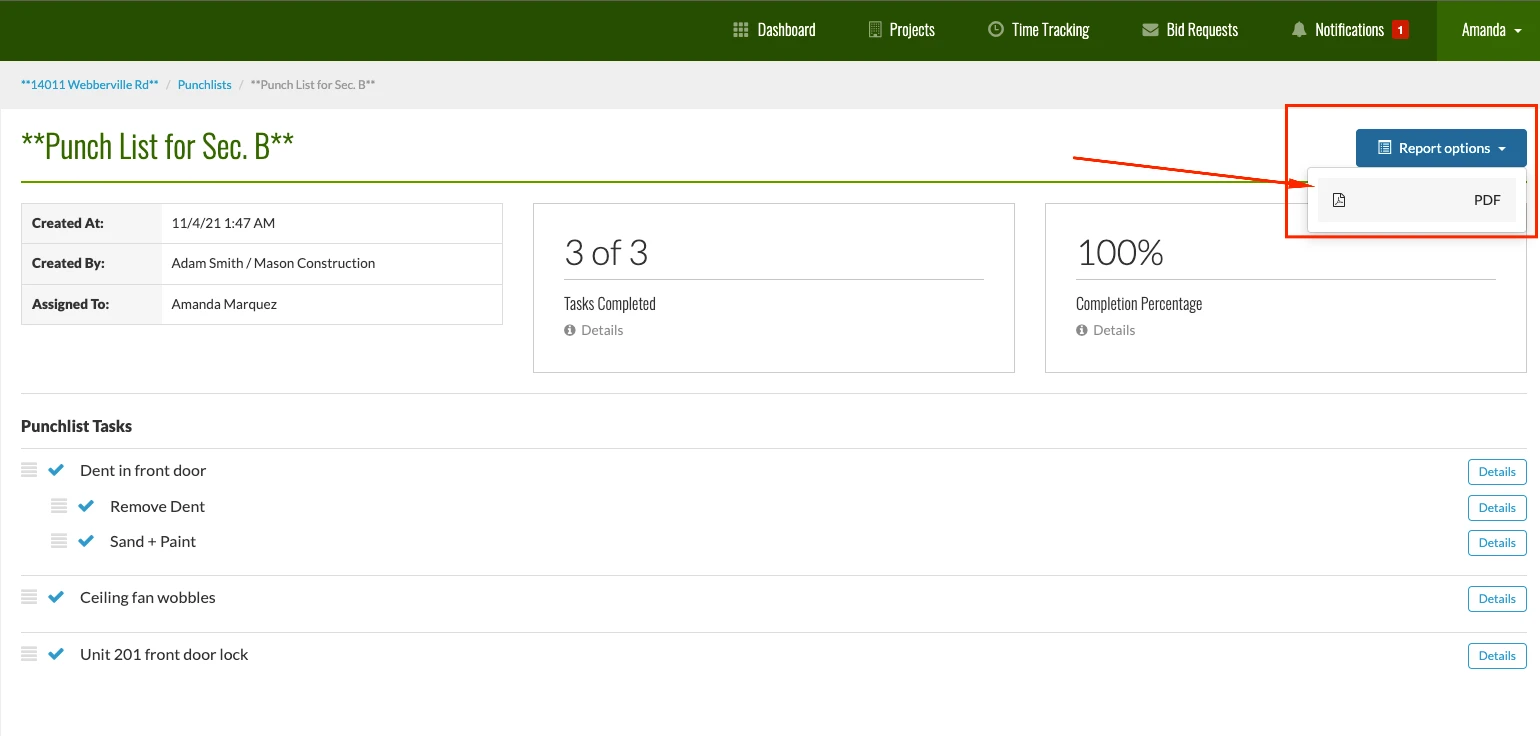
6.) The PDF will automatically download from CMFusion, with the final PDF including all of the punchlist takes as well as the images associated with the punchlist.
Try us out completely free for 30 days - no credit card required.
CM Fusion is cloud-based construction management software for general contractors.
 Request a Free Demo
Complete the fields below to request your Free CM Fusion Demo.
 Loading...

Hi User
How can we help?